 Mailcrate
Quickstart
Send your first email through the Mailcrate API in about five minutes.
By the end of this page you will have sent one email from your own code and seen it arrive in the delivery log. You need a Mailcrate workspace you can sign in to.
Verify a sender
Mail goes out from a sender identity: an address on a domain you have verified. Open Settings → Mailing, add your sending domain, publish the DNS records it shows, and add a sender such as hello@yourdomain.com.
A send from an address that is not a sender identity is rejected with 404 Sender identity not found., and one from a sender that is not verified yet with 400 Sender identity is not verified.. Wait until both the domain and the sender show as verified.
Create an API key
Open Settings → API Keys and create a key with the sending:write scope. That is the only scope a send needs. Copy the key now: it is shown once.
Keep it out of your code and read it from the environment:
export MAILCRATE_API_KEY="<api_key>"Send the email
Replace the two addresses with your verified sender and an inbox you can read:
curl -X POST https://api.mailcrate.io/public/sending/mail \
  -H "Authorization: Api-Key $MAILCRATE_API_KEY" \
  -H "Content-Type: application/json" \
  -d '{
    "contactEmail": "you@example.com",
    "fromAddress": "Acme <hello@yourdomain.com>",
    "subject": "Hello from Mailcrate",
    "html": "<p>It works.</p>",
    "lane": "transactional"
  }'
A 200 means Mailcrate accepted the email and queued it:
{
  "id": "6f1c2a9e-3b7d-4c55-9a1e-2d8f0b4c7e11",
  "status": "drafted",
  "lane": "transactional"
}
id is the delivery id. Keep it if you want to look the email up later. status is where the email stood when the response was written; it moves on to sending, sent and delivered within seconds.
Check that it arrived
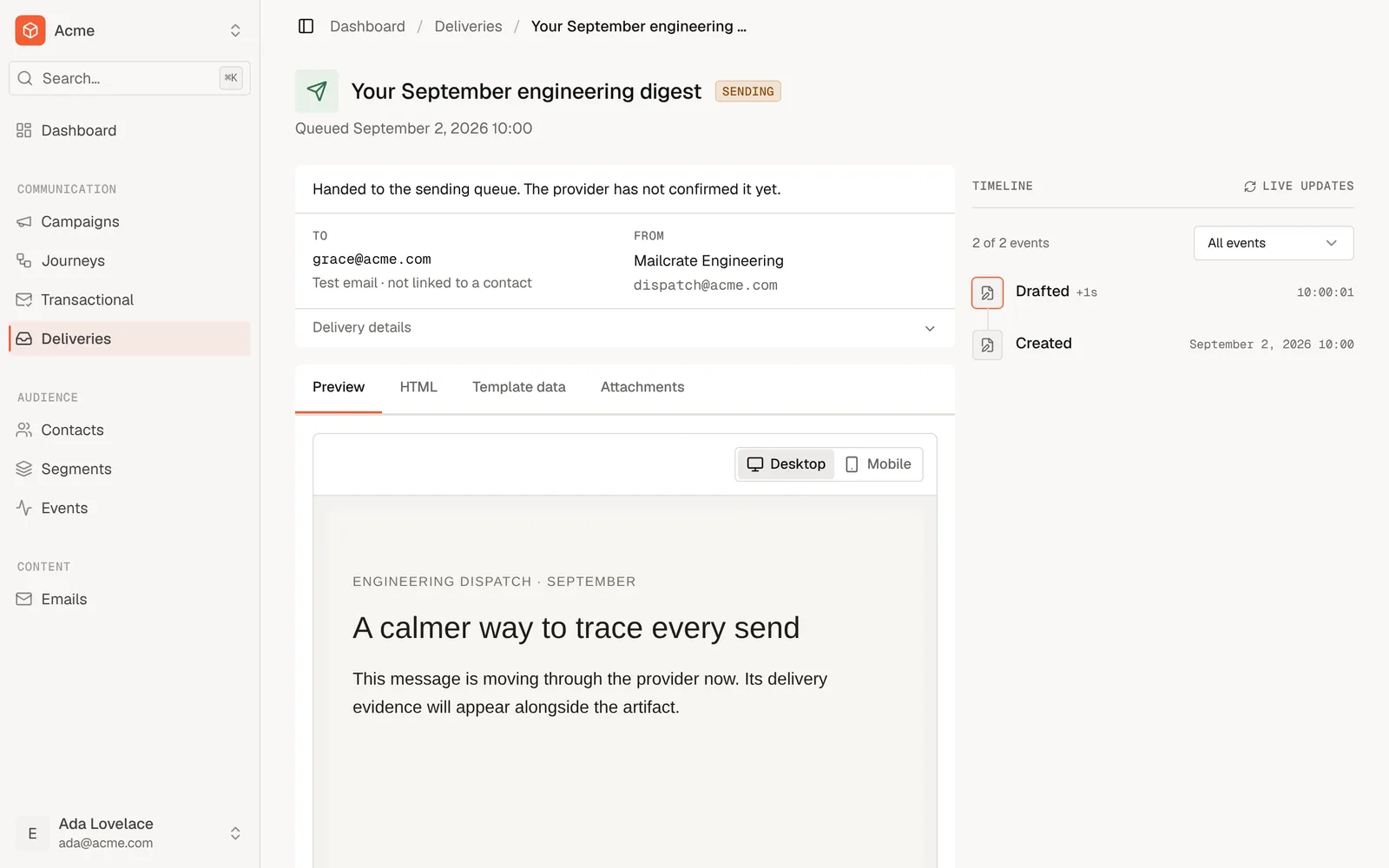
Open Deliveries in the app. Your email is at the top, and its timeline fills in as it moves from created to sent to delivered.
From code, fetch the same record with GET /public/delivery/<id> (scope delivery:read).
What just happened
- A contact was created. Every email is sent to a contact.
contactEmailfinds the contact with that address, or creates it. - The email went out on the transactional lane.
"lane": "transactional"tells Mailcrate this is mail the recipient asked for, so it is sent even if they unsubscribed from your marketing. Leave it out and the send uses the marketing lane. See Lanes. - The HTML was sent as is. Inline
htmlis not a template: merge tags in it are not filled in. To personalise an email, use a template.