 Mailcrate
Delivery Log
See what happened to every email you sent, from queued to delivered, opened, bounced or suppressed.
Every email Mailcrate sends is a delivery: one message to one recipient. The delivery log shows each one with its status and full history, whether it came from a campaign, a journey or your application.
Where to find it
- Deliveries in the sidebar lists every delivery in the workspace, with totals for the period at the top.
- A sent campaign's Deliveries tab lists only that campaign's recipients. Its Overview tab has the campaign's totals.
- A contact's Deliveries tab lists everything sent to that one person.
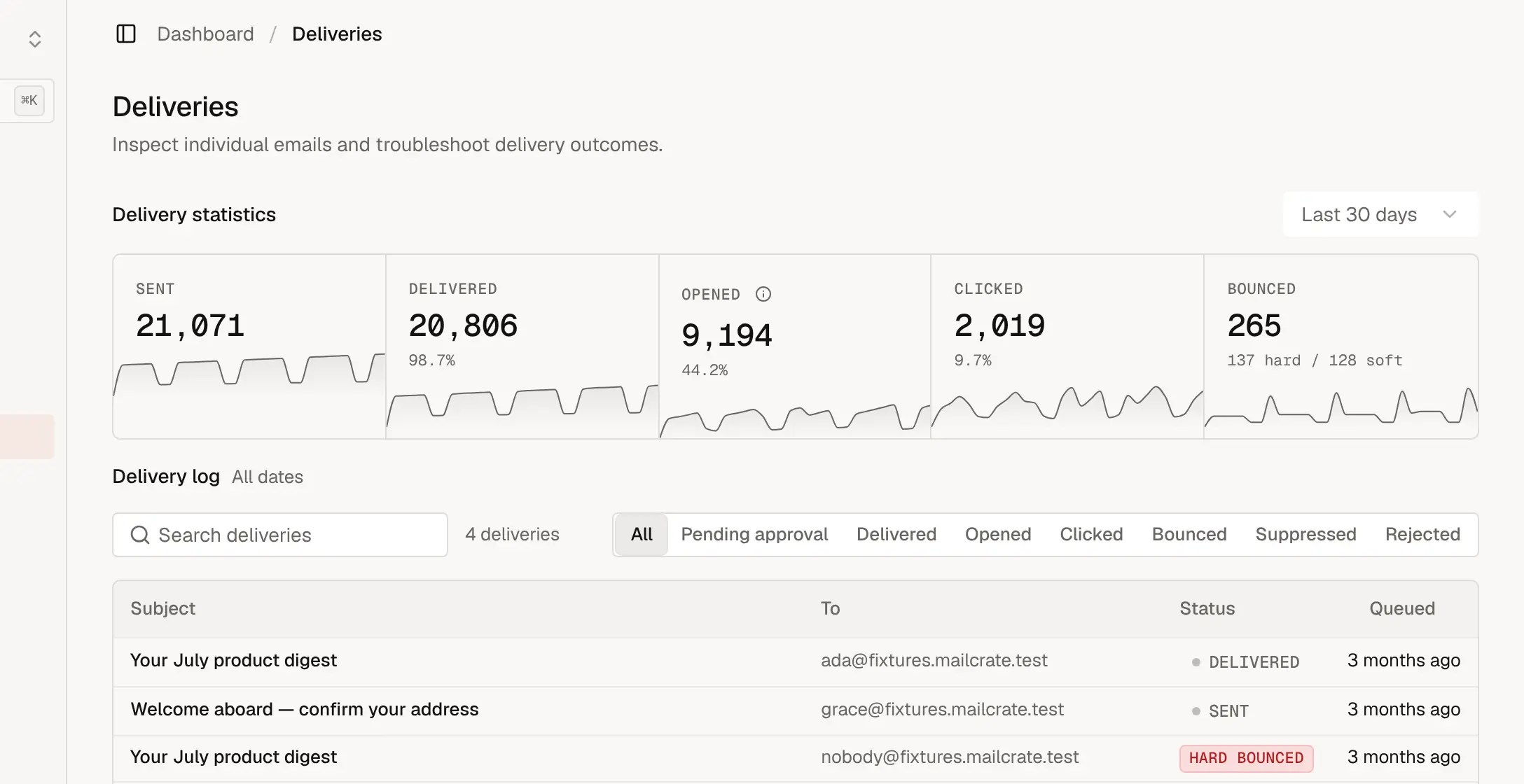
Read the totals
| Metric | What it counts |
|---|---|
| Sent | Messages handed to the mail provider. |
| Delivered | Messages the recipient's mail server accepted. |
| Opened | Recipients who opened the email, detected with a tracking image. Treat it as an estimate: some providers load images automatically (counting opens that didn't happen) and some block them (missing opens that did). |
| Clicked | Recipients who clicked a tracked link. The most reliable engagement signal. |
| Bounced | Messages the recipient's server refused, split into hard bounces (permanent, such as an address that doesn't exist) and soft bounces (temporary, such as a full mailbox). |
| Complaints | Recipients who marked the email as spam. |
Feedback from mail servers arrives over minutes to hours, so a campaign that has just been sent can show "Awaiting confirmation" before its delivered and bounced numbers fill in.
Find a delivery
Use Search deliveries to find a subject or recipient address, and the filters (Delivered, Opened, Clicked, Bounced, Suppressed, Rejected, Pending approval) to narrow the list by status.
Delivery statuses
| Status | Meaning |
|---|---|
| Created, Drafted | Queued and being prepared. |
| Pending Approval | Waiting for someone to approve it before it sends (used by integrations that ask for approval). |
| Sending, Sent | Handed to the mail provider; no answer from the recipient's server yet. |
| Delivered | Accepted by the recipient's server. |
| Opened, Clicked | The recipient opened it, or clicked a link. |
| Soft Bounced | Refused temporarily. Repeated soft bounces with no successful delivery in between add the address to the suppression list. |
| Hard Bounced | Refused permanently. The address is added to the suppression list automatically. |
| Complained | Marked as spam. The address is added to the suppression list automatically. |
| Suppressed | Not sent, because the address is on the suppression list, unsubscribed, or opted out of the email's subscription group. |
| Rejected | Refused by the mail provider before sending, for example because of the content or an invalid address. |
Open a delivery
Click a delivery to see everything about it:
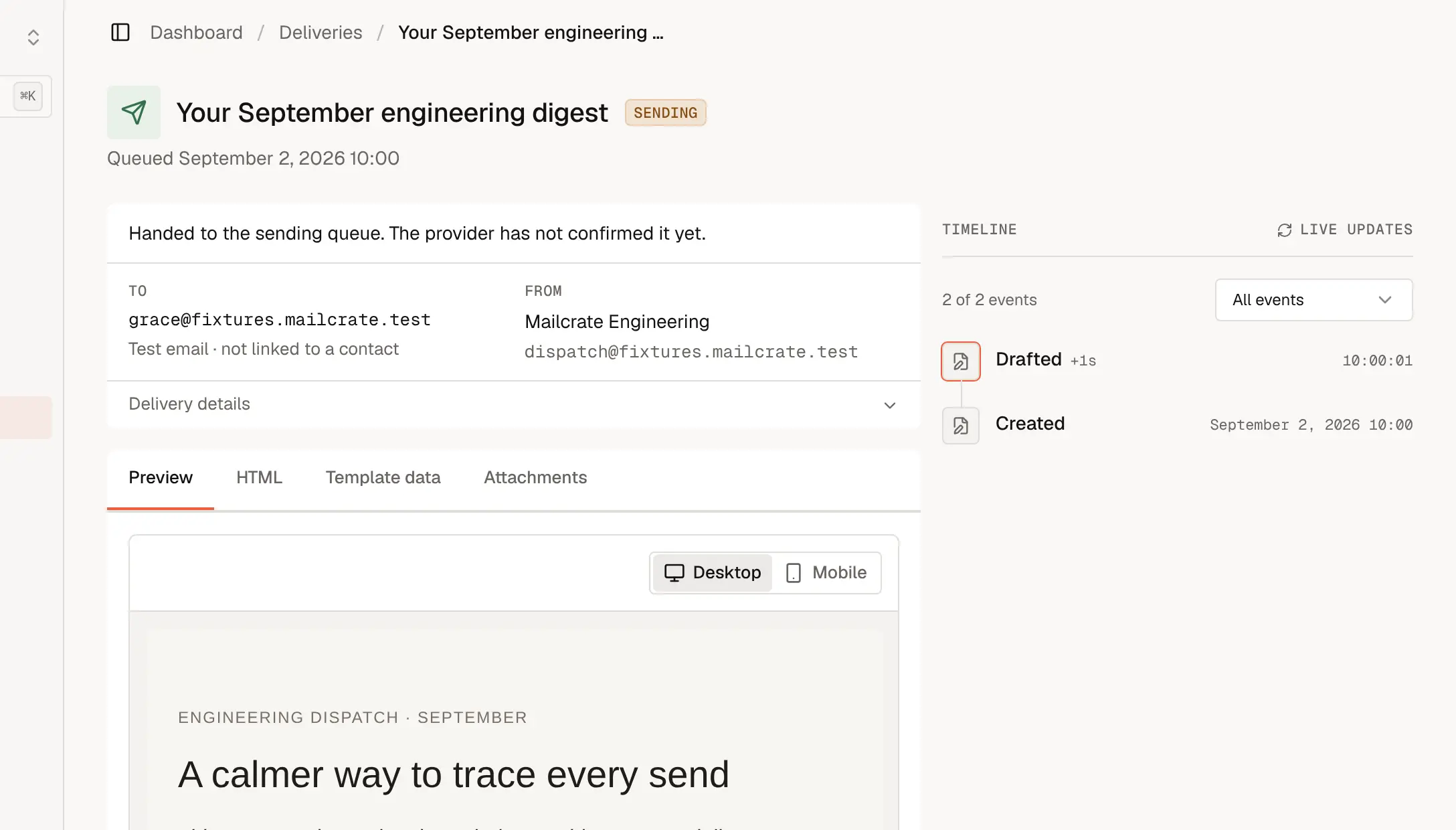
- The header shows the recipient, the sender, and a sentence explaining the current status.
- Timeline lists every event with its time: created, sent, delivered, opened, clicked, bounced. It updates live while a delivery is in progress.
- Preview and HTML show exactly what was sent. Template data shows the values merged into it, and Attachments lists any files.
When a contact says they never got an email, this page is where to look: it tells you whether the message was suppressed, bounced (and the server's reason), or delivered and possibly filtered to spam on their side.
What to do about bounces and complaints
A few bounces are normal. If the Bounced or Complaints numbers climb, look at where those addresses came from: old lists, typos at sign-up, or people who don't remember signing up. Mailcrate pauses sending automatically when rates get too high, to protect your reputation; see Sending Quotas. Addresses that bounced or complained are listed on the suppression list.